
Environment Variables
Applies to: FlexLab
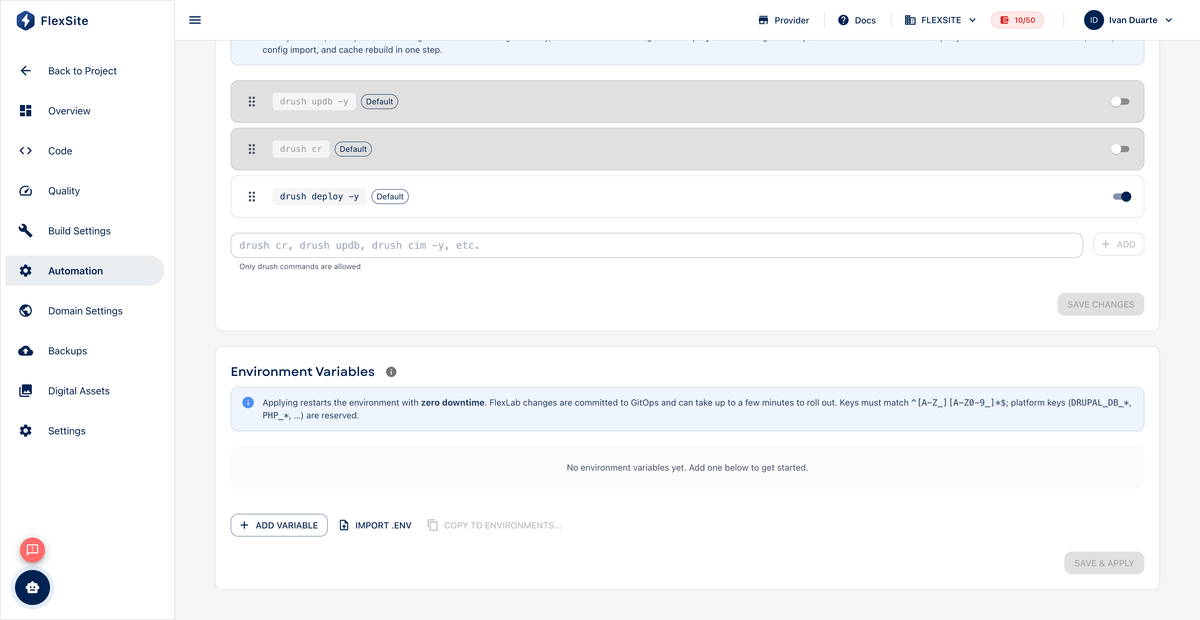
Overview
Environment variables store configuration and secrets (API keys, third-party tokens) outside your Git repository. FlexSite injects them into the runtime and Automation scripts so passwords never appear in source code.
Key concepts
- Secret — sensitive value (email API key, payment token). Mark as masked/secret when the UI offers it.
- Key / value pair — a named setting (e.g.
SENDGRID_API_KEY) and its contents. - Redeploy — after changing variables, run a new deploy or automation so running containers pick up the new values.
Steps
- Open Environments, select an environment, then Automation.
- Find the Environment Variables section (may be on the same page as automation scripts).
- Click Add variable.
- Enter a descriptive key and paste the value.
- Enable secret/masked for passwords and API tokens.
- Save, then trigger a deploy or rerun automation.
How teams use them
- Shell automation steps read variables using platform syntax documented in the UI.
- Drupal
settings.phpcan read injected env vars for feature flags or API endpoints.
Security practices
- Never commit secrets to Git — use variables instead.
- Rotate keys if a laptop or token is compromised.
- Limit Team roles who can view Automation settings.