
Repository Access and Clone
Applies to: FlexLab
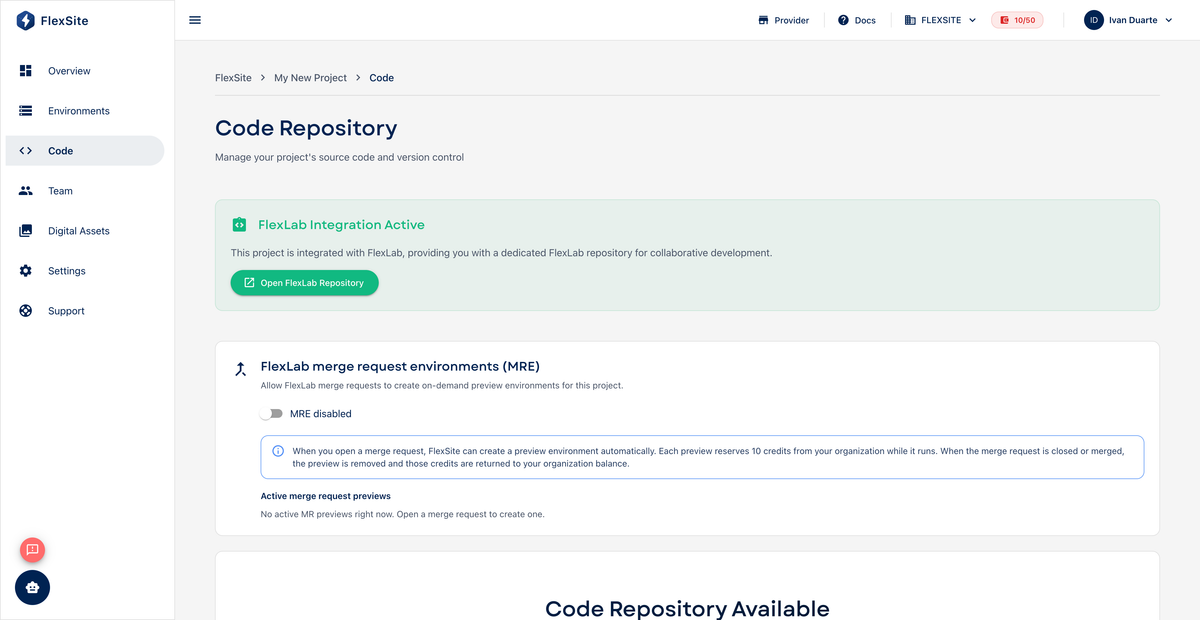
Overview
Every FlexLab project includes a Git repository hosted on GitLab. The Code page in FlexSite shows where developers clone the project, open the GitLab web UI, and confirm which branches exist.
Key concepts
- Clone — download a copy of the repository to your laptop so you can edit files locally.
- HTTPS vs SSH clone URL — two ways to authenticate downloads; SSH pairs with keys on Profile → Tokens.
.gitlab-ci.yml— configuration file in the repo that defines pipeline stages (build, test, deploy).
Steps — view repository
- Open Code in the project sidebar.
- Copy the HTTPS or SSH clone URL shown on the page.
- Click Open in GitLab (if available) to browse files, merge requests, and pipeline history in the browser.
Steps — clone to your computer
- Install Git and the FlexSite CLI on your machine.
- In a terminal, run
git clone. cdinto the new folder.- Run
flexsite auth loginand paste a token from Profile → Tokens. - Follow any Code page instructions to link the folder (e.g.
flexsite link).
What’s inside a typical repo
composer.json— lists Drupal core and modules.web/— Drupal docroot (public files and index)..gitlab-ci.yml— pipeline definition FlexSite expects.docker/or local dev files — optional tooling for Lando/DDEV teams.
Pushing commits to tracked branches triggers deployments to linked environments.