
FlexSite CLI Setup
Applies to: FlexLab
Overview
The FlexSite CLI (flexsite) is a command-line tool developers install on their laptop. It authenticates against FlexSite, downloads database backups, syncs files, and runs Drush commands on remote environments without memorizing server hostnames.
Key concepts
- CLI — *command-line interface*: typing commands in Terminal (Mac/Linux) or PowerShell instead of clicking in a browser.
- Node.js — runtime required to install the FlexSite CLI via npm.
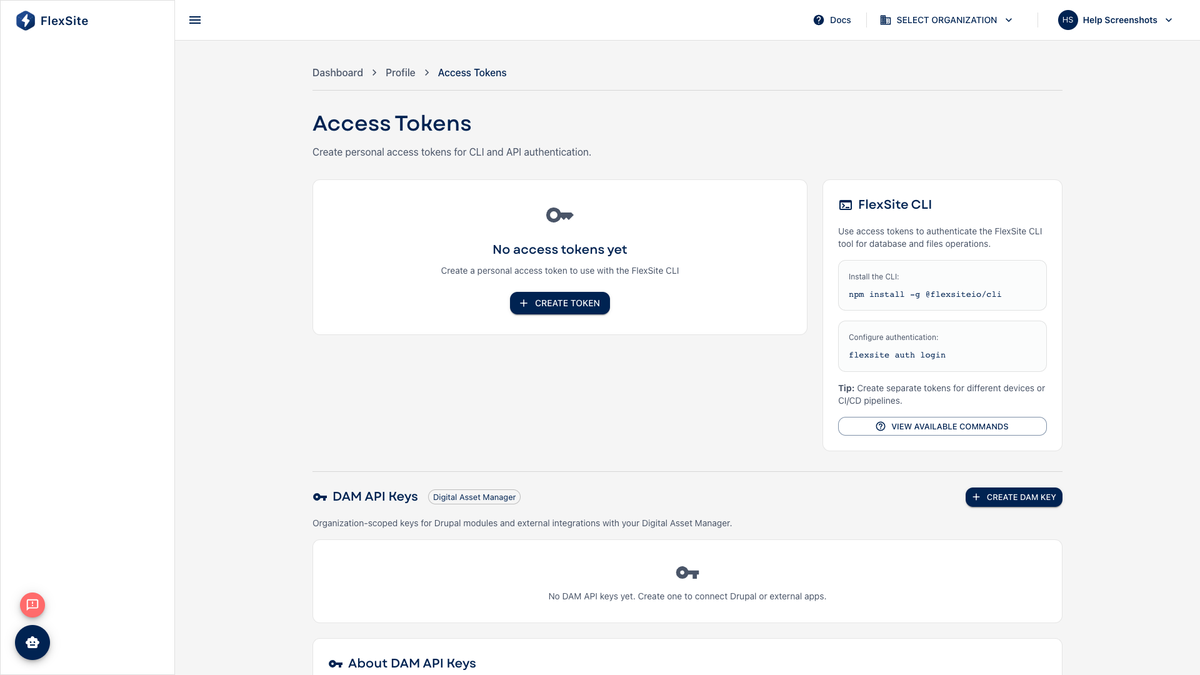
- Personal access token — generated on Profile → Tokens; acts like a scoped API password. Store it securely — it is shown only once.
- Drush — Drupal’s standard administration tool for cache clears, database updates, and config imports.
Steps — install the CLI
- Install Node.js LTS from nodejs.org if you do not already have it.
- Run
npm install -g @flexsite/cli(check platform docs for the latest package name). - Run
flexsite --helpto confirm the install.
Steps — sign in
- On Profile → Tokens, create a token with scopes your workflow needs (
drush:execute, database/files pull, etc.). - In your project folder, run
flexsite auth loginand paste the token. - Run
flexsite auth statusto confirm organization and user. - Run
flexsite link(or follow Code instructions) to associate the folder with the FlexSite project.
Everyday commands
| Command | What it does |
|---|---|
flexsite db pull | Download latest database backup to your machine |
flexsite files pull | Download uploaded files (images, documents) |
flexsite sync | Sync database and files together |
flexsite drush -- status | Run Drush remotely to check Drupal health |
Add an SSH public key on the same Tokens page if your team uses flexsite ssh for shell access.