
Creating an Atom Site
Applies to: Atom
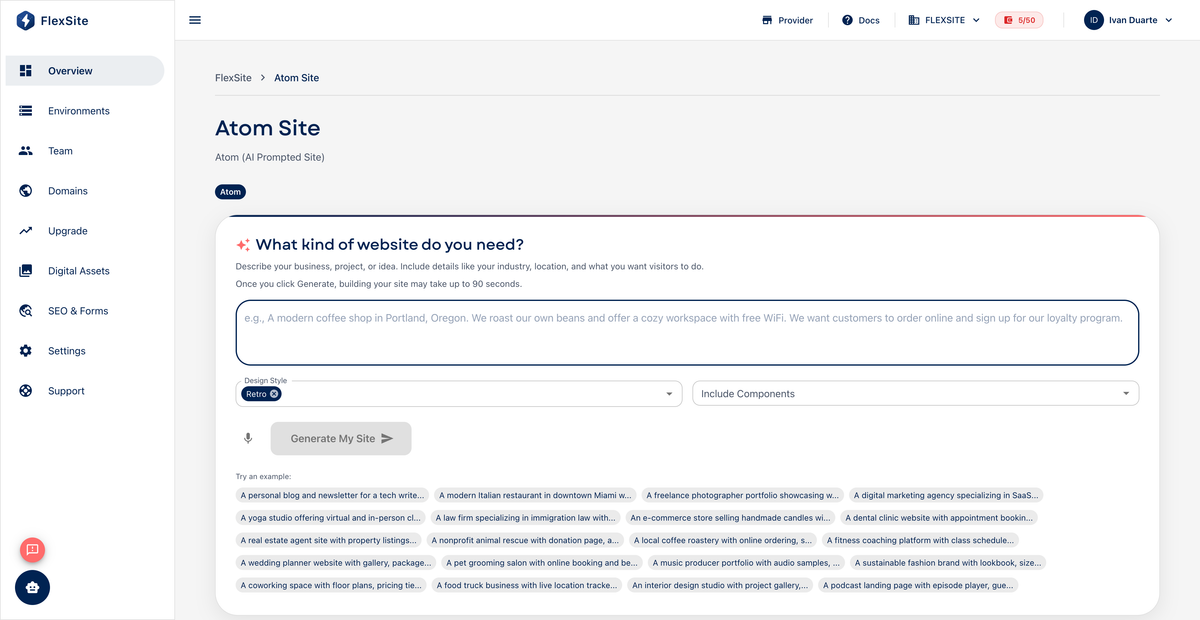
Overview
Creating an Atom site takes a few minutes: you describe your business and pages, FlexSite spends credits to provision hosting, and AI generates the first version. This guide covers both entry paths and how to write a useful opening prompt.
Key concepts
- Prompt — the paragraph you submit describing company name, audience, pages needed, and tone (professional, playful, etc.).
- Provisioning — FlexSite building your site; Overview shows ready when you can visit the URL.
- Credits — Atom deducts a fixed amount at creation; check Billing before clicking if you are on TRIAL.
Which flow should I use?
| Flow | Best when |
|---|---|
| Create Atom Site on Projects | You want the fastest path with minimal wizard steps |
| New Project → Atom | You already use the standard project wizard for naming and slug |
Both create the same kind of Atom project.
Steps — Create Atom Site shortcut
- From Projects, click Create Atom Site (or the Atom call-to-action when the list is empty).
- Write a specific prompt, for example: “B2B analytics company. Home, pricing, about, contact. Professional tone, blue accent, hero with product screenshot placeholder.”
- Submit. FlexSite deducts Atom creation credits and starts provisioning.
- When Overview shows ready, open the generated URL in a new tab.
Steps — New Project wizard
- From Projects, click New Project.
- On step 1, select Atom (AI Prompted Site).
- Enter a clear title (internal name) and URL slug.
- Skip CMS/template/theme steps — they do not apply to Atom.
- Click Create Project and wait for ready on Overview.
Prompt tips (non-technical)
- Name real pages you need (Home, Services, Contact) — not “a modern website.”
- Mention industry and audience (“nonprofit donors,” “local bakery customers”).
- Note must-haves: contact form, testimonial section, pricing table.
- You can refine tone later on Overview — the first prompt only needs a solid starting point.
After creation
- Copy the FlexSite URL from Overview for stakeholder review.
- Open the refinement panel — see Editing and Refining Your Atom Site.
- Wait until ACTIVE plan on Billing before Domains custom DNS.
Failed provisioning may refund credits per platform policy — check Usage if status stays error.