
Publishing and Custom Domains (Atom)
Applies to: Atom
Overview
Every Atom site gets a FlexSite address immediately (like your-project.flexsite.io) so you can share a link before buying a custom domain. Attaching your own .com requires an ACTIVE paid plan and a few DNS changes at your domain registrar.
Key concepts
- Default URL — the free FlexSite hostname on Overview; fine for demos and early feedback.
- Custom domain —
www.yourbrand.comyou own at a registrar. - DNS — settings at your registrar that point your domain to FlexSite; the wizard shows exact values to copy.
- HTTPS / SSL — browser padlock; FlexSite enables this after DNS verifies.
- Primary domain — the main address you want visitors and search engines to treat as canonical.
Atom uses project Domains only — there is no per-environment Domain Settings like Codeless.
Prerequisites
- ACTIVE plan (TRIAL blocks custom domains).
- Access to your registrar’s DNS panel (or IT colleague who does).
Steps — share before custom DNS
- Open Overview after provisioning.
- Copy the default FlexSite URL.
- Share with stakeholders — no DNS work required yet.
Steps — attach custom domain
- Upgrade to ACTIVE under Billing if still on TRIAL.
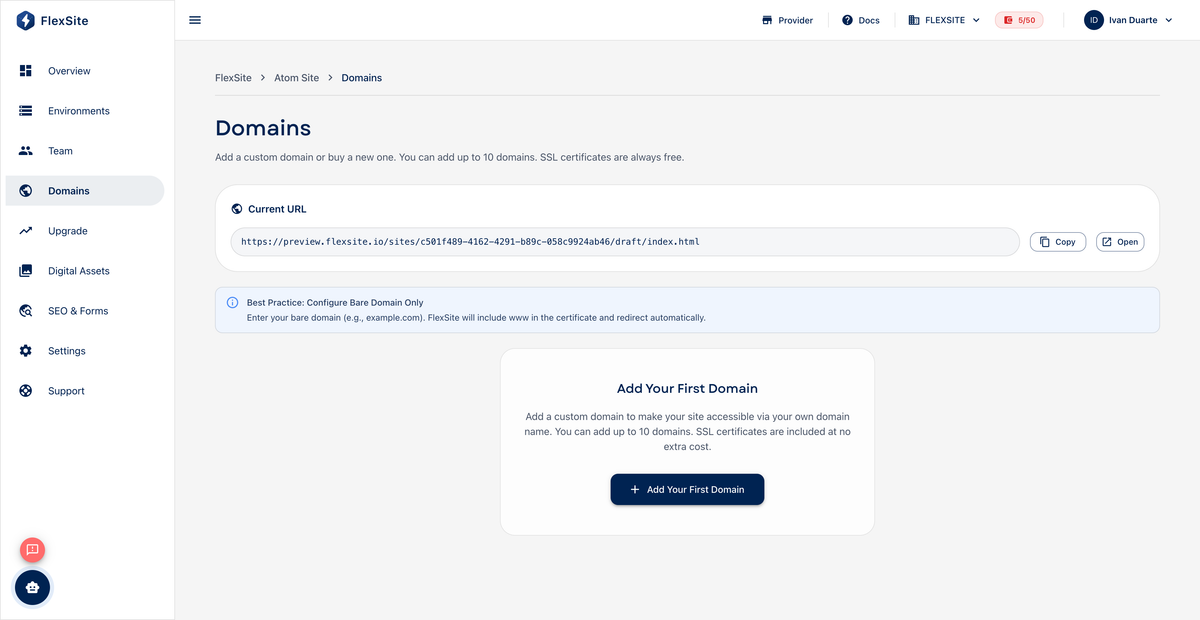
- Open Domains in the project sidebar.
- Click Add domain to start the publication wizard.
- Enter the hostname visitors should use (
www.example.comorexample.com). - Copy each DNS record into your registrar. Propagation can take up to 48 hours.
- Return to FlexSite until status shows ACTIVE with HTTPS enabled.
Primary domain
If you add both example.com and www.example.com, set one as primary so links and redirects stay consistent.
Troubleshooting
- Confirm records match the wizard exactly — typos are the most common issue.
- Wait a full business day before escalating DNS issues.
- See Publication Process for the same DNS concepts on Codeless (wizard steps are similar).